
If you are a business owner or marketer looking to bridge the gap between physical marketing materials and your online presence, QR codes are one of the most reliable tools available. But not every QR code generator gives you what you actually need: high-resolution files in multiple formats, customization options that reflect your brand, and codes that stay active long-term. This article is for anyone evaluating QR code platforms who wants to drive website traffic, collect leads, or promote a product, and who needs a clear framework for comparing the top options. By the end, you will know exactly what to look for and which type of solution best fits your needs.
Why File Format Matters More Than You Think
When businesses download a QR code and immediately drop a blurry JPEG onto a printed banner, they lose scans before they even start. The format you download your QR code in determines how it looks across every surface, from a business card to a 6-foot trade show display. Understanding the difference between available formats is the first step to choosing the right generator.
PNG is the standard raster format and works well for digital use, social media, and small-format print like business cards and flyers. It supports transparency, which makes it easy to layer a QR code onto any background without a white box appearing around it. JPEG is an acceptable alternative for simple web embeds, though it uses compression that can introduce visual noise around the code’s edges, potentially affecting scannability.
SVG (Scalable Vector Graphics) is the format businesses need when printing at large sizes. Because SVG is vector-based, it scales infinitely without any loss in quality. A QR code used on a billboard, a banner, or a packaging label should always be exported as SVG if possible. PDF is another print-ready option, particularly useful when the QR code is being sent to a professional printer or embedded in a larger document. EPS (Encapsulated PostScript) is a legacy vector format still commonly used in professional print workflows. The more formats a generator offers, the more flexibility you have across different use cases.
The 8 Most Important Criteria for Evaluating a QR Code Generator
Choosing the right QR code generator comes down to more than just which one is free. Businesses that rely on QR codes for consistent traffic need to evaluate platforms across the same set of criteria so comparisons are meaningful. Here is what to assess.
1. Available Download Formats
The baseline expectation for any business-grade generator should be PNG and PDF at a minimum. The stronger platforms also offer SVG and EPS, which are essential for professional print work. If a platform only gives you a single low-resolution JPEG, it is not built for business use. Always check the download options before committing to a tool, especially if your QR codes will appear in print campaigns.
2. Image Resolution and Quality
Resolution determines how cleanly a QR code renders when printed. A QR code that looks fine on screen can become pixelated and unscannable when printed at larger sizes. Platforms that offer vector downloads sidestep this issue entirely. For raster formats like PNG, look for generators that allow you to specify output dimensions or that default to high-resolution output (at least 1000×1000 pixels).
3. Customization Options
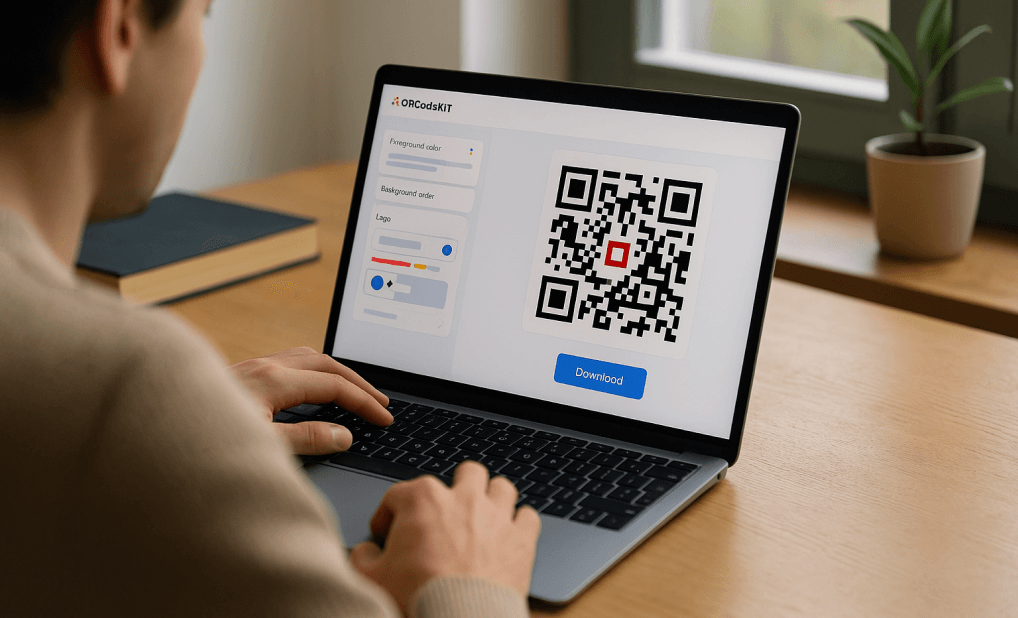
A plain black-and-white QR code works, but it does nothing for brand recognition. Business-focused generators allow you to change the foreground and background colors, adjust the dot and corner styles, add a logo or icon in the center, and include a custom frame with a call-to-action like “Scan to Visit.” These options turn a functional code into a branded asset. Evaluate whether customization is available on the free tier or locked behind a paid plan.
4. Code Expiration Policy
Some generators, particularly those offering free plans, create QR codes that expire after a set period or after the free trial ends. For businesses running long-term campaigns, printing codes on packaging, or using codes on permanent signage, expiring QR codes are a serious liability. Always confirm whether the codes you generate will remain active indefinitely, and read the fine print on free plans carefully.
5. Dynamic vs. Static QR Codes
Static QR codes encode the destination URL directly into the code itself. Once printed, the destination cannot be changed. Dynamic QR codes store a short redirect link that can be updated at any time without changing the printed code. Dynamic codes are more versatile for businesses running multiple campaigns, but they typically require a paid subscription and depend on the generator’s servers remaining active. For a single-use campaign or a permanent destination like a homepage, static codes are often sufficient.
6. Scan Tracking and Analytics
If driving website traffic is your goal, you need to know whether your QR codes are actually being scanned. Some platforms include built-in analytics that show scan volume, location data, device type, and time of day. This is most commonly a feature of dynamic QR code plans. If analytics matter to your strategy, confirm that the platform provides this data and that it integrates with or complements your existing reporting tools.
7. Ease of Use and Platform Accessibility
A QR code generator should not require design experience or software installation. The best tools work entirely in a browser and function equally well on mobile, tablet, and desktop. This matters for teams where multiple people may need to generate codes, or for business owners who need to create a code quickly from a phone while on the go. Evaluate the interface for clarity and whether the tool guides you through the process without requiring technical knowledge.
8. Integration With Design and Marketing Materials
A QR code rarely exists in isolation. It gets placed on a business card, a flyer, a product label, or a social media post. Generators that integrate directly with a broader design tool give you a significant workflow advantage. Instead of downloading a code and then importing it into a separate application, you can place and style your QR code within the same environment where you are building the rest of the asset. This reduces steps and keeps your design consistent.
Types of QR Code Generators and How They Compare
Not all QR code tools are built for the same purpose. Understanding the three main categories helps you match the right type of platform to your business needs.
Standalone QR Code Generators
Standalone tools focus exclusively on generating QR codes. They typically offer a clean, fast interface where you enter a URL, choose a few style options, and download. The best standalone generators in this category support multiple formats including SVG and PDF, offer color customization, and do not require account creation for basic use.
Evaluated across the criteria above, standalone tools often score well on ease of use and speed but may fall short on design integration and template support. They are a strong fit for businesses that already have a design workflow and just need a reliable code to drop into existing assets. The main risk is around expiration and analytics: many standalone free tools either expire codes or do not provide scan data.
All-in-One Design Platforms With QR Code Features
Several design platforms have added QR code generators as a built-in feature. These tools let you generate a code and immediately place it within a broader design project, such as a business card, event flyer, or product brochure. The advantage is that your QR code lives inside the same creative environment as the rest of your marketing materials, making it much easier to keep branding consistent.
These platforms generally offer PNG and PDF downloads, and some offer SVG. Customization options tend to be stronger than standalone tools because they are built with branding in mind. The trade-off is that you are working within an ecosystem, so the depth of QR-specific features (like dynamic codes or granular analytics) may be more limited than a dedicated QR platform.
Enterprise QR Code Management Platforms
For larger organizations running multiple simultaneous campaigns, dedicated QR management platforms offer the most comprehensive feature sets. These tools typically include dynamic codes as standard, built-in analytics dashboards, bulk code creation, and API access. Download options usually include all major formats.
The trade-off is cost and complexity. These platforms are subscription-based, often priced per user or per active code, and designed for teams rather than individuals. For a small business generating one or two codes per year, this level of infrastructure is overkill. For a retail chain running location-specific promotions or a marketing agency managing client campaigns, the investment can pay off quickly.
Adobe Express: A Strong Option for Branded QR Code Creation
For businesses that want to create visually polished QR codes without leaving their design workflow, the QR code maker from Adobe Express is worth a close look. The tool is free to use, requires no software download, and works directly in the browser on any device.
A few features make it stand out compared to basic standalone generators. First, the QR codes generated through Adobe Express do not expire, which removes a common risk associated with free tools. Second, the customization options go beyond simple color changes. You can apply different dot and corner styles, overlay a brand logo, and add decorative frames with call-to-action text, all without any design background required. Third, and perhaps most useful for businesses building marketing materials, the tool integrates directly with Adobe Express’s library of thousands of professionally designed templates. That means you can generate a code and immediately place it on a business card, flyer, event poster, or brochure within the same platform. Downloads are available in PNG, JPEG, and PDF.
What Adobe Express does particularly well is serve the business owner or solo marketer who needs both a QR code and a finished, print-ready asset. Rather than jumping between a QR generator and a separate design tool, the entire workflow lives in one place. It is one strong option in this category, especially for users who value design quality and brand consistency alongside functional code generation.
How to Get the Most Out of Your QR Code for Website Traffic
Generating a high-quality code is only the first step. How you deploy it determines whether it actually drives traffic.
- Always test before printing. Scan your QR code with at least two different smartphones before sending any materials to print. Test in both good and low light.
- Include a clear call-to-action. “Scan to visit our website” or “Scan for 10% off” dramatically increases scan rates compared to a bare code with no context.
- Size your code appropriately. For print materials, QR codes should be at least 1 inch by 1 inch. For signage viewed from a distance, scale up significantly.
- Use a vector format for anything larger than a business card. SVG or PDF ensures sharp output at any size.
- Keep the destination fast. A QR code that links to a slow-loading page will lose users before they even see your content. Make sure your landing page is mobile-optimized and loads in under three seconds.
- Track your results. Use UTM parameters in your destination URL so you can measure QR-driven traffic in your analytics platform, even if your generator does not offer built-in scan tracking.
- Refresh campaigns with dynamic codes when possible. If your offer or destination changes seasonally, a dynamic code means you never have to reprint materials.
- Maintain sufficient contrast. Light-colored dots on a light background, or heavily stylized codes that sacrifice readability for aesthetics, will fail to scan reliably. Always prioritize contrast and module clarity.
Frequently Asked Questions
What file format should I use when downloading a QR code for print?
For any print application, a vector format is the best choice. SVG and PDF are the two most commonly available vector options from QR code generators, and both scale to any size without losing sharpness. If your printer requires EPS, check whether your chosen generator offers that format or whether you can convert an SVG file. For small-format items like business cards or stickers where the final print size is well-defined and relatively small, a high-resolution PNG of at least 1000 pixels wide is usually acceptable. Avoid JPEG for print, as the compression artifacts can interfere with scanner accuracy. The key question to ask any generator before downloading is whether their output is resolution-independent or fixed-size.
Do free QR code generators produce codes that expire, and how do I avoid that?
Many free QR code tools are funded by upsells to paid plans, and one of the most common restrictions on free tiers is code expiration. When a free code expires, it stops redirecting, which means anyone who scans it gets an error. This can be damaging for a business that has printed materials in circulation. Before using any free generator for business purposes, look specifically for language about whether codes expire on the free plan. Some tools, including certain all-in-one design platforms, generate static QR codes for free with no expiration. Static codes encode the URL directly and are not dependent on the generator’s servers, so they remain functional indefinitely regardless of what happens to your account.
How can I track how many people are scanning my QR codes?
The most straightforward method is to use UTM parameters in the URL your QR code points to. A UTM parameter is a small tag added to the end of a web address that tells your analytics platform where the traffic came from. For example, you can tag a QR code on a flyer differently from one on a business card, so you can compare performance in Google Analytics or whatever platform you use. This approach works with any QR code generator, static or dynamic. If you want deeper data such as scan location, device type, or time of day, you will need a generator that offers dynamic codes with built-in analytics. Google Analytics is a free tool that integrates well with UTM-tagged QR code campaigns and gives you clear reporting on which codes are delivering the most traffic.
Can I put a logo inside a QR code without making it unscannable?
Yes, and this is a legitimate concern worth addressing. QR codes are built with error correction, meaning they can still be read even if a small portion of the code is obscured, as long as the obstruction does not exceed the error correction threshold. Most generators that offer logo embedding are designed to keep logos within safe size limits, typically no more than 30 percent of the code’s surface area. The risk increases when logos are large, have irregular shapes, or share similar contrast levels with the surrounding code. After adding a logo, always test the resulting code on multiple devices before using it in a campaign. If the code fails to scan, reduce the logo size or increase the overall size of the QR code.
What is the difference between a static and dynamic QR code, and which is better for a business website?
A static QR code has the destination URL baked directly into the code at the moment of creation. It cannot be changed, but it also does not depend on any third-party server to function. A dynamic QR code stores a short redirect URL that points to your actual destination. Because the redirect is controlled by the generator’s platform, you can change the destination at any time without changing the printed code. For a business website with a stable URL that you do not plan to change, a static QR code is often the simpler and safer choice. For campaigns where the destination might change, such as seasonal promotions or rotating offers, a dynamic code gives you the flexibility to update without reprinting. One important consideration: dynamic codes are dependent on the generating platform’s infrastructure. If you stop paying for a subscription or the company shuts down, your codes stop working. Static codes carry no such risk.
Conclusion
Choosing a QR code generator for your business is not just about finding a free tool. It is about ensuring the codes you create are high-quality enough to scan reliably, flexible enough to work across every surface you print on, and built to last as long as your marketing materials are in circulation. The right generator depends on how many codes you need, whether you need dynamic redirect capability and analytics, and how closely your QR codes need to integrate with the rest of your branded design work.
For most businesses, the sweet spot is a generator that offers multiple download formats including at least PNG and PDF, does not expire free codes, allows meaningful brand customization, and ideally lives inside a design environment where you can use the code immediately. Evaluate each option across the same criteria covered in this article, test every code before it goes to print, and pair your deployment with UTM tracking so you can measure the traffic impact from day one.